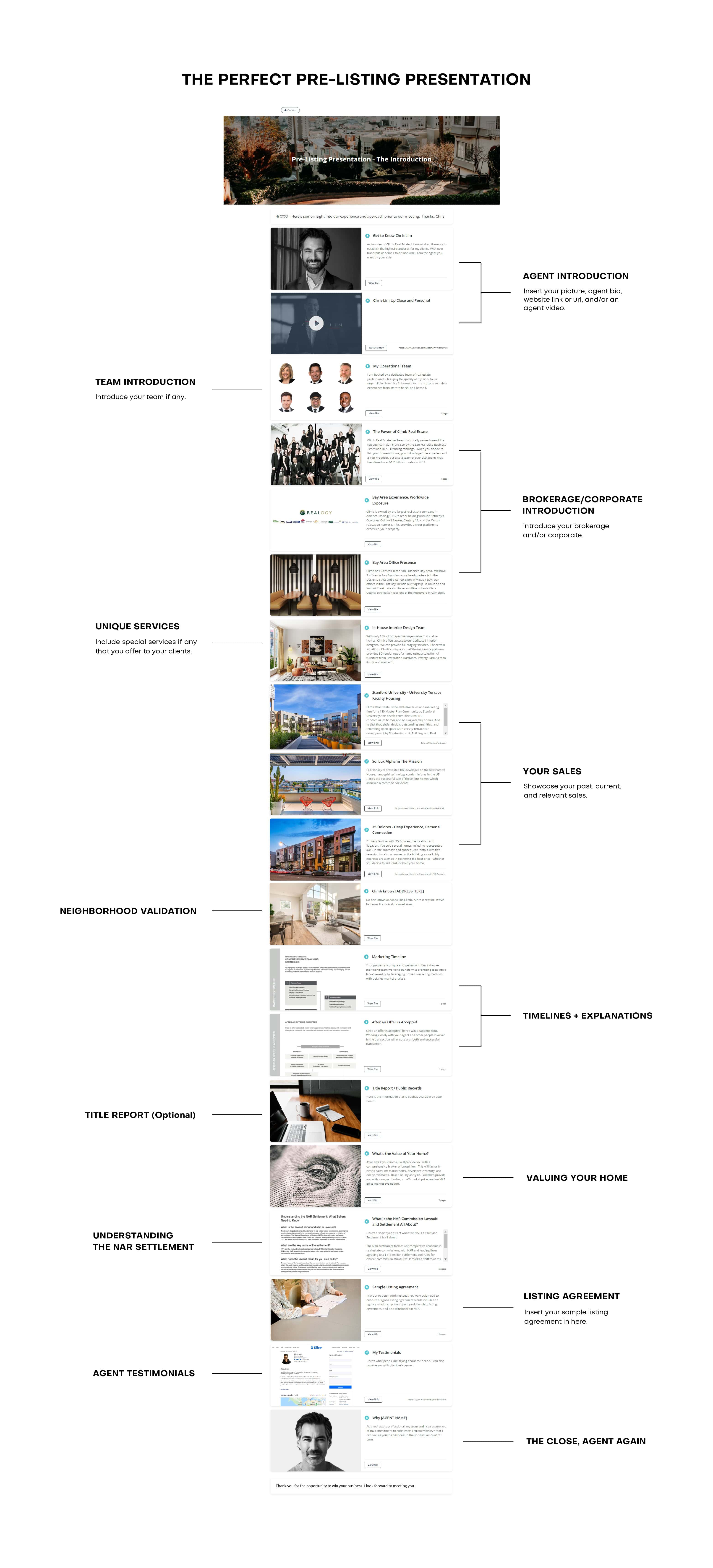


You sent the proposal on Tuesday. By Friday, you still haven’t heard back. Did they open it? Did they read the pricing section and ghost you? Did it land in spam? If you sent a PDF attachment, you have no idea – and that silence is costing you deals.
Standard PDFs carry zero tracking. The second a file hits someone’s downloads folder, it becomes invisible to you. But there are ways to close that gap and know exactly when someone opens your document, which pages they spend time on, and the right moment to follow up.
This guide breaks down how PDF view tracking actually works, which methods are worth your time, and how to set it up in minutes so every file you send becomes a source of sales intelligence.
Key Insights
- Standard PDF attachments have zero built-in tracking – once downloaded, the file is invisible to the sender.
- Email read receipts only confirm the email was opened, not whether the PDF was viewed; Apple Mail Privacy Protection has made them even less reliable.
- Dedicated document-tracking tools convert your PDF into a shareable smart link that captures real-time open alerts, per-page read time, and repeat views.
- Page-level analytics are the critical differentiator: knowing a prospect spent four minutes on your pricing slide is a direct buying signal.
- Tools like Highnote let you track PDF views for free – upload your file, get a trackable link, and receive a notification the moment it is opened.
Why Standard PDF Attachments Can't Be Tracked
PDFs are static files. They contain text, images, and layout instructions – but they don’t include JavaScript or any network-calling code that would phone home when someone opens them. When a recipient downloads your attachment and opens it in Adobe Reader, Preview, or any PDF viewer, that action happens entirely on their device with no connection back to you.
This creates a structural blind spot. You might send your best listing presentation, a carefully researched buyer guide, or a detailed proposal – and the moment you click Send, you lose all visibility. The file exists in a black box.
The distinction that matters: tracking whether an email was opened (which email clients are making harder every year) is not the same as tracking whether the PDF inside it was actually read. Those are three separate events – email opened, attachment downloaded, PDF reviewed – and traditional methods only approximate the first one.
The 4 Common Methods and What They Actually Tell You
1. Email Read Receipts
Read receipts ask the recipient’s email client to notify you when they open a message. In practice, they almost never fire reliably. Gmail ignores them on personal accounts. Outlook prompts the recipient to decline. Apple Mail’s Privacy Protection, rolled out in 2021, pre-fetches all email content – including tracking signals – before the user even opens the message, generating phantom opens across what amounts to the majority of consumer email users.
Even when a read receipt does come through, it tells you the email was opened – not that the attachment was downloaded or that your PDF was read at all.
2. Google Drive and Dropbox Shared Links
Cloud storage links are a small step up: the platform can log that the link was accessed. But access logs are blunt instruments. You see a timestamp and sometimes a rough location – nothing about which pages were viewed or how long the recipient stayed on each section. For sales purposes, this is marginally better than flying blind.
3. Adobe Acrobat Send & Track
Adobe’s built-in tracking feature (part of Acrobat Pro at approximately $23/month) uploads your PDF to Adobe’s cloud and generates a shareable link. You receive a notification when someone views it. What you don’t get: per-page analytics, time-on-page data, bot filtering, or real-time alerts. Recipients are also sometimes prompted to sign in with an Adobe account before viewing – friction that causes a measurable number of prospects to abandon the document before reading a word.
4. Dedicated Document Tracking Tools
This is where PDF tracking actually becomes useful for sales. Tools in this category convert your file into a smart, trackable link. When someone opens it, you get a real-time notification. The analytics show you which pages they read, how long they spent on each, whether they came back for a second viewing, and whether the link was forwarded to someone else.
That last signal – multiple unique viewers on the same link – is one of the strongest buying indicators in B2B sales. It means the deal is being discussed internally.
PDF Tracking Methods: At a Glance
Method | Open Alert | Page Analytics | Follow-up Timing | Ease of Use |
|---|---|---|---|---|
Email attachment | ✗ | ✗ | Blind | Easy |
Email read receipts | Partial | ✗ | Partial | Easy |
Google Drive / Dropbox | ✗ | ✗ | Blind | Easy |
Adobe Acrobat Send & Track | ✓ | ✗ | Basic | Moderate |
Dedicated tracker (e.g. Highnote) | ✓ Real-time | ✓ Per-page | Precise | Easy |
How Highnote's Share and Track Feature Works
Highnote’s Share and Track feature was built specifically for sales professionals who send presentations, proposals, and pitch materials as part of their workflow. Instead of attaching a file to an email, you upload your PDF to Highnote – no redesign required – and share a smart link.
Here’s what happens from that point:
- The recipient clicks your link and views the document instantly in their browser – no login, no download, no friction.
- Highnote captures engagement data in real time: when the document was opened, how long each page was viewed, which sections generated the most attention, and whether the viewer returned for a second session.
- You receive an instant notification the moment the file is opened, so you can follow up while interest is at its peak – not three days later when the momentum has faded.
The platform also includes content performance analysis – you can see not just who viewed your file, but which pages drove the most engagement and which ones lost attention. That data is directly useful for improving your materials over time.
For agents and sales professionals who send materials daily, Highnote also supports AI-powered presentation generation, content rewriting, and personalization – so you can move from insight to action faster. See how it all works at .
What Page-Level Analytics Actually Tell You in a Sales Context
Open alerts are useful. Page-level analytics are where the real intelligence lives.
Consider a listing presentation you sent to a potential seller. The viewer spent 12 seconds on your bio, 8 seconds on the market overview, and 4 minutes and 22 seconds on the comparable sales section. That behavior pattern tells you exactly what they care about – not because they told you, but because their attention did.
Compare that to a second recipient who opened the same presentation, spent 90 seconds on it total, and never returned. Two very different follow-up conversations, and you know which one to prioritize before you even pick up the phone.
Buyer intent signal to watch: if a single shared link is viewed by multiple people in the same organization within a short window, the opportunity is being discussed internally. This is one of the strongest signals that a deal is moving forward – and one that standard file sharing completely misses.
How to Set Up PDF View Tracking in 3 Steps
Using Highnote’s Single File Mode, the process takes under two minutes:
- Upload your PDF, presentation, or sales material. No redesign or reformatting needed – your existing file works as-is. Highnote generates a smart sharing link automatically.
- Send the link instead of an attachment. This is the single habit change that unlocks all the tracking. Paste it into an email, a text, or a DM – wherever you normally share your materials.
- Open your analytics dashboard. The moment your recipient opens the link, you receive a real-time notification. Your dashboard shows time-on-page data, engagement depth, and viewer behavior patterns you can act on immediately.
For more complex client packages that combine multiple files, videos, and links, Highnote’s Multi File Mode lets you build a full interactive presentation from the same upload-and-share workflow.
When to Follow Up Based on Tracking Data
The point of tracking is simple: stop guessing and start responding to real buyer behavior.
A generic “just checking in” email three days later is easy to ignore. A follow-up based on what someone actually viewed is much more useful because it speaks to what already has their attention.
Use this framework to decide when to follow up and what to say.
If They Opened and Spent Time on Key Pages
Follow up within 24 hours.
This is one of the strongest signals of interest, especially if they spent time on pages like:
- Pricing
- Proposals
- Comparable sales
- Case studies
- Testimonials
- Contract terms
- Next steps
They are not just clicking around. They are evaluating the details.
Your follow-up should connect to the section they likely cared about without sounding invasive.
Example:
“I wanted to follow up while the details are fresh. The pricing section usually brings up a few good questions, so I’m happy to walk through anything that would be helpful.”
If They Opened Briefly and Bounced
Wait 2 to 3 days, then re-engage with a different angle.
A short view does not always mean low interest. It may mean:
- They were busy or distracted.
- The document felt too long at first glance.
- They did not immediately find the section they needed.
- The opening message did not frame the value clearly enough.
In this case, do not send the same follow-up again. Reposition the document and point them to the most relevant section.
Example:
“The most useful part may be the side-by-side comparison on page three. It gives a quick view of the main differences without having to read the full document.”
If They Returned for a Second or Third View
Follow up sooner and get more specific.
Repeat views usually mean the document is still part of the decision process. The prospect may be:
- Comparing options
- Reviewing details before a conversation
- Preparing questions
- Sharing the information with someone else
- Looking for reassurance before taking the next step
This is a good time to offer a focused next step instead of a broad check-in.
Example:
“I noticed there may still be some review happening around the proposal. I’m happy to walk through the numbers or answer any questions before you make a decision.”
If Multiple People Viewed the Same Link
Accelerate your timeline.
When more than one person views the same link, the conversation may have moved beyond your original contact. That often means the document was forwarded, shared internally, or brought into a larger decision-making process.
This is a strong buying signal.
Your follow-up should make it easy for the group to move forward.
Example:
“Happy to walk everyone through the key points or answer questions from the team if that would help make the next step easier.”
If They Spent a Long Time on One Specific Page
Tailor your follow-up to that topic.
The most important signal is not always total viewing time. Sometimes it is where the attention concentrates.
For example:
- If they spent time on comparable sales, lead with pricing strategy.
- If they focused on financing details, lead with affordability or next steps.
- If they lingered on testimonials, reinforce trust and proof.
- If they reviewed contract terms, offer to clarify process, timing, or obligations.
- If they spent time on case studies, connect the example back to their situation.
Page-level behavior tells you what to talk about before the prospect says a word.
If They Have Not Opened It After 72 Hours
Change the channel or confirm delivery.
No open after three days does not always mean no interest. The document may have:
- Gone to spam
- Been buried in their inbox
- Reached the wrong contact
- Arrived at a bad time
- Failed to reach the actual decision-maker
Instead of assuming the opportunity is dead, send a simple message through another channel.
Example:
“I wanted to make sure the link came through. I can resend it here if that is easier.”
The Bottom Line
Tracking data gives you timing, context, and confidence. You know when someone opened the file, what they cared about, and whether the conversation is gaining momentum.
Highnote’s real-time notifications make this framework easier to act on. You do not have to keep checking a dashboard or guessing when to follow up. You can respond when interest is highest and lead with the topic that already has your prospect’s attention.
Conclusion
PDF attachments are a visibility dead zone. Once that file leaves your outbox, you’re navigating a conversation without any of the signals that tell you where the other person’s head is at.
Document tracking closes that gap. Real-time open alerts tell you when to call. Page-level analytics tell you what to talk about. Multiple-viewer signals tell you when a deal is heating up internally. The data replaces guesswork with timing — and timing is often the difference between a deal that closes and one that quietly stalls.
Highnote’s PDF sharing and analytics feature lets you start tracking for free, with no credit card and no complicated setup. Upload your PDF, share the link, and know exactly what happens next.
Frequently Asked Questions
Can I track a PDF that was sent as an email attachment?
No. Email attachments are downloaded to the recipient’s device and opened locally – there is no mechanism to track that action from the sender’s side. To track PDF views, you need to share the document as a link through a dedicated tracking tool. The recipient opens the same file through a browser-based viewer, which enables full engagement analytics without requiring any extra steps from them.
Does the person viewing my PDF know they're being tracked?
In most dedicated tracking tools, viewing analytics are passive and do not require the recipient to log in or take any action. They click your link and see the document immediately. If your tool requires email verification before viewing, the recipient is aware. Highnote’s default mode requires no sign-in from the viewer – they simply open the link and your analytics begin capturing engagement data.
What's the difference between PDF views and PDF downloads?
A PDF view is when someone opens and reads your document through a browser-based or app-based viewer. A download is when they save a local copy to their device. Tracking tools like Highnote capture view behavior – time on page, page depth, return visits – in real time. Downloads are harder to track precisely, though tools can log whether the download option was used.
Is PDF tracking free?
Yes. Highnote offers a free plan that includes PDF sharing and view tracking with no credit card required. You can upload your file, generate a trackable link, and receive open notifications at no cost. Advanced analytics and multi-file presentation features are available on paid plans. Start free at land.highnote.io/free.
What types of files can I track with Highnote?
Highnote supports PDFs and most standard sales materials. You upload the file as-is – no redesign or reformatting needed – and the platform converts it into a trackable, browser-based experience your recipients can view on any device without downloading anything.